TimePassages Basic Edition is perfect for beginners and makes a wonderful gift for anyone interested in astrology.
Our introductory astrology software provides an interactive view of natal and transit charts. The intuitive interface allows you to explore astrology while learning about your friends and loved ones, as well as yourself!
Mouse Over any chart feature to see a quick summary of that item.  For example, when you roll over Jupiter, the status bar reads: Jupiter in Capricorn (2° Cap 03') in the Fifth House.
Point and Click on any chart feature to open the interpretations window with detailed interpretive text for that feature. Our acclaimed interpretation text is the best in the business!

Natal and Transit Bi-wheel Charts
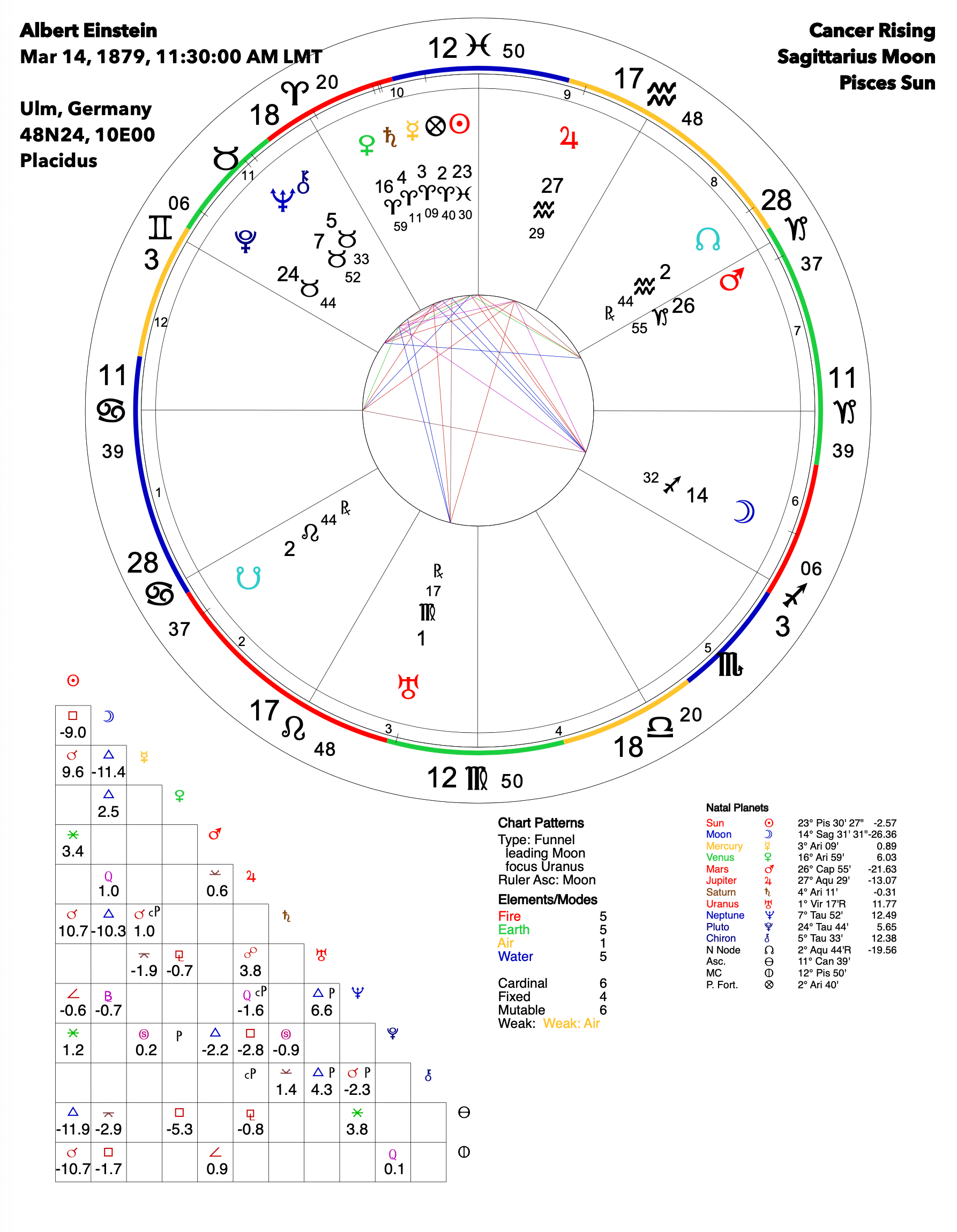
Calculate and display natal charts and transit bi-wheel charts with interactive interpretations — mouse click gives you interpretations for an individual planet or aspect, or for the entire chart as a whole.
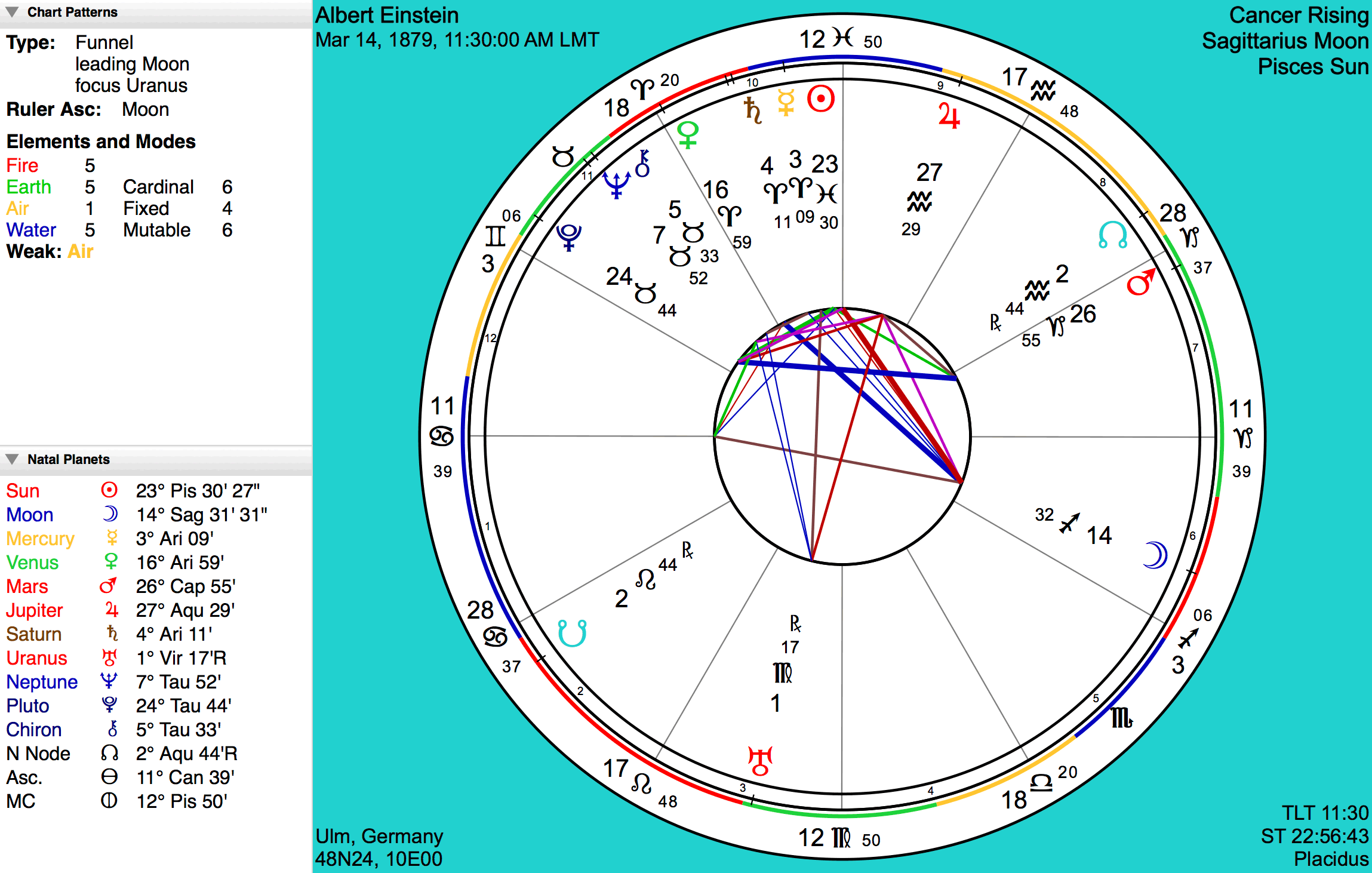
Point & Click Interpretations
Point and click on any chart feature to get transformatively oriented descriptions. Control-click gives even more astrological information for that feature.
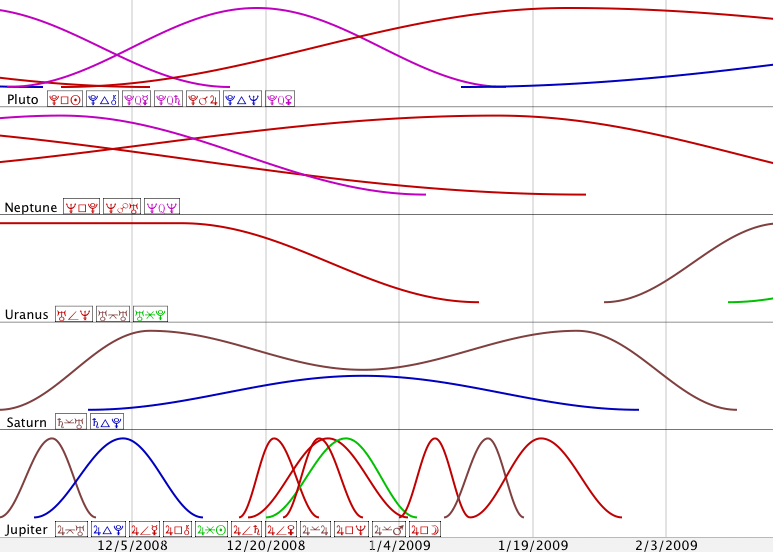
Graphical Transit Timeline
Track the eb and flow of transits over time with this graphical layout of curves representing each planets aspects for periods of 3, 6 or 12 months.
20+ Astrologically Significant Points
Includes the Sun, Moon, the eight standard planets, the Lunar Nodes, Part of Fortune, and Chiron, a very significant planetary influence for our times. Optionally display the major asteroids Ceres, Pallas, Juno, and Vesta, major Centaurs such as Pholus and Nessus, Black Moon Lilith, Eris, Haumea, Makemake, and Sedna with general interpretations for house placement.
European Chart Wheel
Chart style with equally spaced signs and proportional houses.
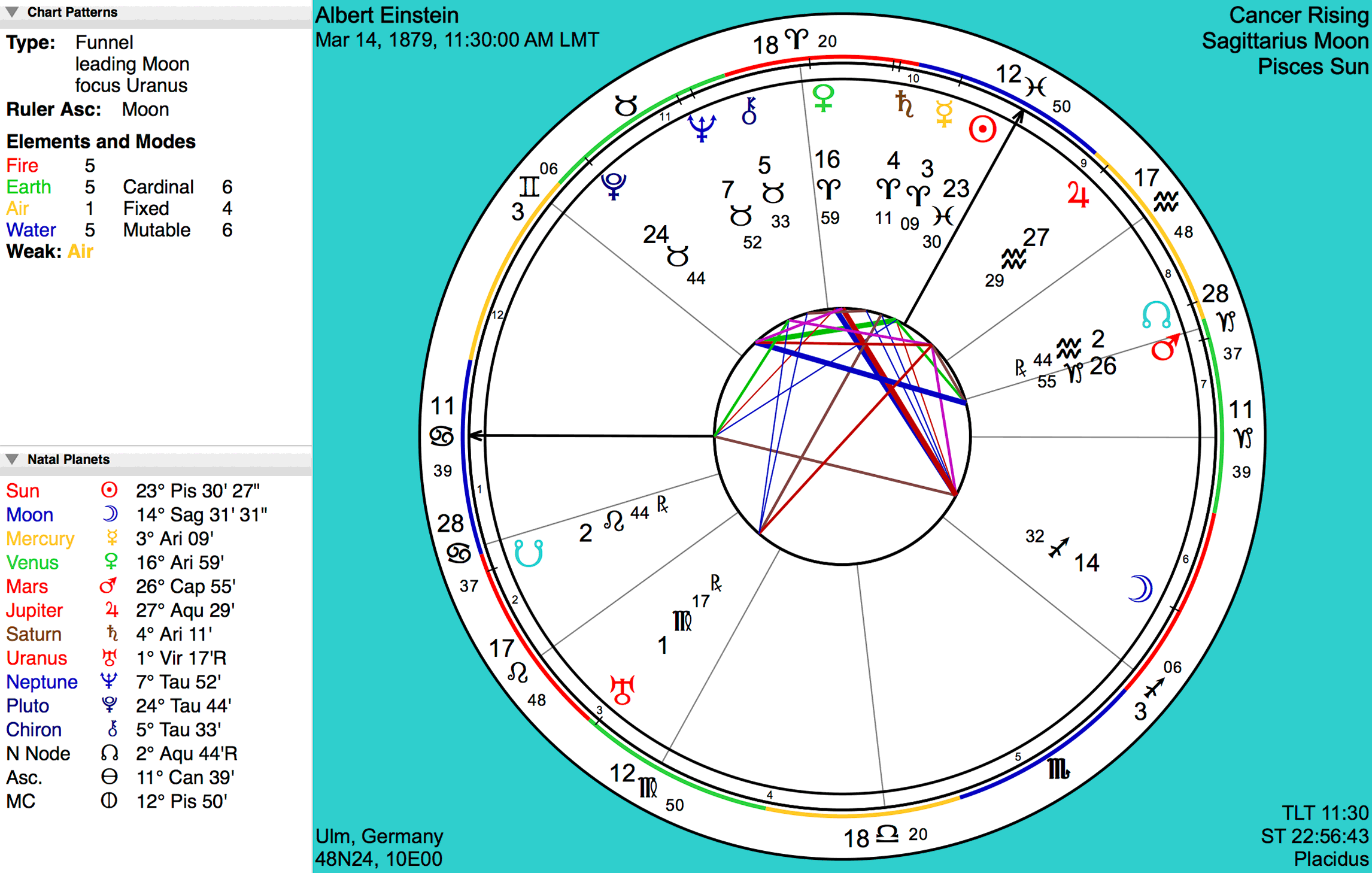
Transits to House Rulers With Interpretations
When an outer planet transits a natal planet in your chart the effects are two-fold; not only is the natal planetary archetype affected by the transiting outer planet, but also the house(s) it rules. TimePassages is the only astrology software providing these interpretations.
Planetary Patterns
Recognizes and interprets all classic Rudhyar-style chart patterns such as Bowl, Funnel, Seesaw, etc.
Rulership & Exaltations
Reveals the planetary ruler associated with each natal house.
Built-in ACS Atlas
Automatically enters your latitude, longitude, time zone, and daylight time information for accurate chart calculation. Just enter the city, state, and country and it's looked up in a database with over 250,000 cities worldwide.
Multiple House Calculation Methods
Includes Koch, Placidus, Equal House, Campanus, and Porphyry. Whole sign houses new with version 5.
Electronic User's Manual
Includes an in-depth introduction to astrology, detailed instructions on all software features, and quick references for astrology terms and systems.
MDI Interface
TimePassages allows you to display multiple chart windows concurrently and to go back and forth between calculated charts quickly for easy reference and comparison.
Chart Workspace Files
Each chart file is saved and restored with the most recently used charts.
Customizable Chart Display
Display charts just the way you like them with display options such as fonts, background color, rimmed sign labels, day-month-year date format, aspect options, aspect orbs and more.
Aspect Grid
Graphic layout of aspects includes all major and minor aspects plus the parallels and contra-parallels, all with Point & Click Interpretations.
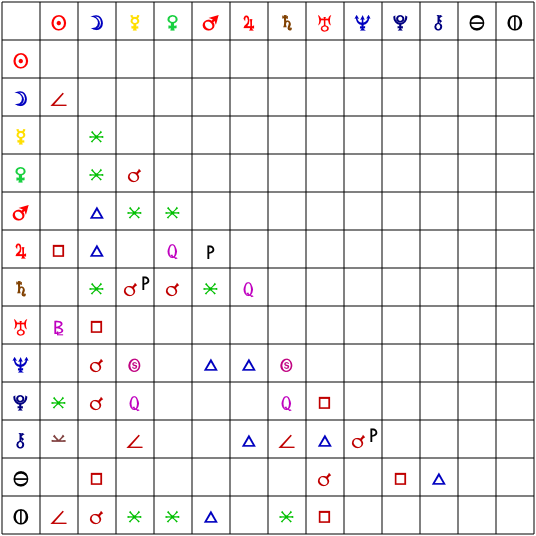
Adjustable Aspect Orbs
Set aspect orbs for Natal, Transit, and Comparison to display only aspects with indicated aspect strength.
Aspect Date Ranges
Transit interpretations optionally include the date range the transit is in effect and the time of exact aspect.
Print Color Chart Graphics
Easy to Use
TimePassages is the most user-friendly astrology software available.
Accurate Birth Charts
Simply enter your date, time, and location of birth and TimePassages instantly creates a chart for you.
Point-and-Click Interpretations
Reading an astrology chart is as easy as visiting a website. Click on any chart feature to view in-depth interpretations by acclaimed astrologer Henry Seltzer.
Used by Professionals
TimePassages is perfect for beginners, as well as professional astrologers such as Rob Brezsny, Alan Oken, Antero Alli, Lyn Borsodi, and many others, who use the Advanced Edition to do their astrological work.
64-bit Windows 10 and above or
macOS version 10.14 and above
(For 32-bit Windows, use TimePassages 5.2)
256MB RAM (512MB recommended)
100MB hard disk space
"TimePassages has to be one of the best astrology programs available today. Its graphics are superb, its content accurate and excellently presented. I highly recommend TimePassages."
Read More"TimePassages astrology software is the one for you."